
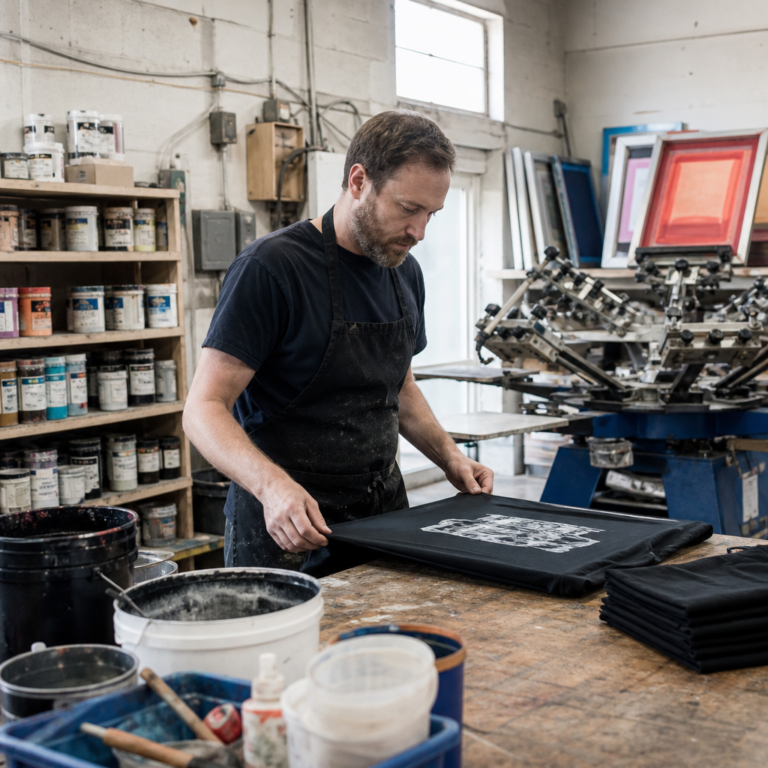
Cutting costs at a screen printing shop is not about slashing spending blindly; it is about protecting margin by improving how work is quoted, scheduled, produced, approved, and delivered. In a screen printing business, “costs” include obvious expenses such as ink, garments, screens, emulsion, labor, and freight, but the biggest leaks usually come from hidden operational waste: underpriced estimates, rushed reprints, idle press time, late approvals, excessive setup changes, and poor job visibility. I have worked with shops that thought they had a supply problem when the real issue was inconsistent workflow from quote to production. That distinction matters because a shop can negotiate a better ink price and still lose money every week through preventable errors. For owners and operators comparing print shop management software or refining existing systems, cost control is one of the clearest measures of operational health. The most efficient shops do not simply spend less; they build repeatable processes that make profitable work easier to run. This article explains where screen printing shops typically lose money, how to reduce those losses in plain terms, and which process improvements create durable savings across estimating, scheduling, production tracking, proofing, purchasing, and customer communication.
Find the real cost leaks before cutting line items
The first step in reducing screen printing costs is identifying where margin disappears. In most small to midsize shops, waste clusters in five places: estimating, labor, materials, scheduling, and errors. Estimating problems start when quotes are based on memory instead of current inputs such as garment cost, print locations, setup time, spoilage allowance, and target gross margin. A job that looks busy on the floor can still be unprofitable if the quote missed art cleanup time or an extra flash. Labor waste often shows up as overtime caused by poor sequencing rather than high order volume. Material waste comes from over-ordering blanks, mixing excess ink, coating screens that never reach press, or losing track of usable inventory. Scheduling waste appears when urgent jobs interrupt planned runs, forcing more screen changes and repeat setups. Error costs include misprints, wrong garment sizes, outdated art, and production started before final approval. If you want a reliable baseline, review thirty days of completed jobs and ask three questions for each one: was it quoted accurately, did it run on schedule, and did it ship without a correction? That simple audit usually exposes patterns fast.
Standardize estimating and pricing so every job carries margin
Accurate estimating is the foundation of cost reduction because every downstream efficiency depends on a quote that reflects real production cost. Many shops still price by habit: a rough garment markup, a screen charge, and a per-piece rate copied from an old spreadsheet. That approach breaks down when blank costs change, labor rates rise, or jobs involve multiple print locations, specialty inks, folding, bagging, relabeling, or contract work. A better method is to standardize estimating inputs and force consistency across sales staff and CSRs. Build pricing rules for garment type, color count, run size, press setup, art time, and finishing. Include spoilage assumptions based on your actual history, not optimistic guesses. For example, a 24-piece six-color left chest and full-back order should not be priced with the same setup logic as a 500-piece two-color athletic run. The short run carries more setup cost per unit, so underpricing it destroys margin quickly. Print quoting software and print estimating software help because they centralize formulas, reduce manual math, and make approvals traceable. Shops using a structured estimating workflow generally reduce underquoted jobs before they reduce supply spend, and that delivers faster gains.
Professional support from industry experts

Aaron
Signage, Apparel & Print

Crystal
Apparel, Signage & Print

Jennifer
Signage

Craig
Signage

Hannah
Signage
Reduce labor waste with better scheduling and job tracking
Labor is usually the largest controllable cost after garments, and most labor waste comes from interruptions. A screen printing shop loses money when press crews wait for art, chase missing blanks, remake screens, or stop mid-run because job details were incomplete. Better scheduling fixes this by organizing work around press capacity, due dates, setup similarity, and approval status. Grouping jobs with similar garment colors, ink sets, or screen requirements reduces changeovers and keeps the line moving. Job tracking matters just as much. Every order should have a clear status from quote to approved art to purchasing to screen room to production to shipping. When status is scattered across whiteboards, inboxes, and verbal updates, managers spend the day expediting instead of improving throughput. I have seen shops recover hours each week simply by making production readiness visible before a job reaches the floor. Shop management software helps here because it turns tribal knowledge into a shared system. Tools such as ShopVOX give owners, coordinators, and production staff one place to track order progress, due dates, and bottlenecks, which cuts avoidable downtime and overtime.
Control materials, purchasing, and inventory without overbuying
Material cost control in screen printing is rarely about finding the absolute cheapest supplier. It is about buying accurately, storing correctly, and using what you already paid for. Start with blanks. If purchase quantities do not match approved counts plus a realistic spoilage buffer, you either tie up cash in excess inventory or pay rush freight to cover shortages. The same applies to ink, emulsion, tape, chemicals, and packaging. Track common usage patterns by job type so your buyers can forecast with confidence. Ink management is especially important because poor batching habits create waste that never gets assigned back to a job. Label mixed inks, record formulas, and standardize reclaim practices so reusable material is not thrown away. For garments, maintain reorder points only for true core items, not every style a customer bought once. Dead inventory hides on shelves and quietly compresses cash flow. Production software does not replace disciplined purchasing, but it supports it by connecting estimates, approved quantities, and job tickets. When the purchasing team can see exactly what was sold and what is scheduled, buying becomes more accurate and last-minute premium freight drops.
| Cost Area | Common Waste | Practical Fix | Expected Impact |
|---|---|---|---|
| Estimating | Underpriced setups and finishing | Standardized pricing formulas | Higher gross margin per order |
| Scheduling | Too many press changeovers | Batch similar jobs together | More daily throughput |
| Approvals | Production starts on outdated art | Centralized proof approval workflow | Fewer reprints and rushes |
| Inventory | Overbuying blanks and supplies | Buy to approved quantities and history | Lower carrying costs |
| Labor | Waiting on missing information | Visible job status and job tickets | Less downtime and overtime |
Cut rework by tightening proofs, approvals, and handoffs
Rework is one of the most expensive problems in a screen printing shop because it consumes labor, screens, garments, and schedule capacity at the same time. The root cause is often weak handoffs rather than bad printing. If customer approvals arrive by scattered email threads, art revisions are easy to miss and production can start from the wrong file. If sales notes are informal, the press team may not know a client expected a specific placement measurement, underbase choice, or fold-and-bag requirement. A formal proofing workflow solves this. Every job should have one approved proof, one production-ready art file, and one job ticket that clearly lists garment style, quantities, ink colors, print locations, finishing instructions, due date, and ship method. Customer-facing tools such as CPortal are useful because they centralize proof review, approvals, and order status in one place rather than relying on inbox archaeology. That visibility lowers the chance of “we never approved this” disputes. In practical terms, fewer approval errors mean fewer remakes, fewer overnight shipments, and fewer awkward margin conversations with customers.
Use software to build repeatable savings across the shop
Software alone does not cut costs, but the right print shop management software makes disciplined cost control practical every day. For a screen printing operation, the goal is not adding another admin layer. The goal is reducing manual handoffs and making the entire quote-to-cash workflow visible. An all-in-one platform such as ShopVOX supports this by connecting estimating, order entry, production scheduling, job tracking, customer communication, and reporting. That matters because isolated tools create blind spots. A spreadsheet may hold pricing, a whiteboard may hold schedule notes, and email may hold approvals, but none of those systems create accountability across the full job lifecycle. When all critical workflow data lives in one environment, managers can see where jobs stall, which order types compress margin, and where rushed work starts. For sign and large format operations, SignVOX extends similar discipline to sign shop management software and sign quoting software workflows, which matters for hybrid shops running both print and signage. The point is not complexity. The point is operational consistency, which is how small shops save money without sacrificing service or growth.
To cut costs at your screen printing shop, focus first on the problems that silently erode margin: inconsistent estimating, unplanned labor, preventable rework, excess purchasing, and poor visibility between departments. The best savings usually come from workflow discipline, not dramatic cuts. Standardize quotes, schedule smarter, track every job status, tighten proof approvals, and buy from real production data instead of guesswork. If you run a small or midsize shop, these changes are realistic and measurable within weeks because they target everyday friction already present in the business. Over time, they also improve customer experience by shortening turnaround times and reducing mistakes. That is the real advantage of strong shop management software: it helps you turn cost control into a repeatable operating system rather than a one-time cleanup project. Review your last month of orders, identify the top three sources of waste, and build one better process for each. Start there, measure the results, and keep tightening.
Frequently Asked Questions
1. What are the biggest hidden costs in a screen printing shop?
The biggest hidden costs in a screen printing shop are rarely the obvious line items like ink, screens, or emulsion. More often, profit is lost through operational waste that builds quietly over time. Underpriced quotes are one of the most damaging examples, because a job can look busy on the schedule while actually eroding margin from the moment it is approved. If setup time, art cleanup, screen prep, press changes, packaging, and freight are not accounted for correctly, the shop may complete the order efficiently and still lose money.
Reprints are another major leak. A single production error, incorrect approval, sizing mistake, or missed print location can force a job to be redone, which doubles labor and materials while tying up equipment that could be earning revenue elsewhere. Idle press time also adds up quickly. If jobs are not staged properly, garments are not ready, screens are not burned, or customer approvals come in late, the press crew may be standing by while payroll continues. Frequent setup changes, poor scheduling, and weak communication between sales, art, and production can make an otherwise capable shop feel constantly rushed and inefficient.
One of the best ways to identify these hidden costs is to track where jobs stall, where mistakes happen, and which orders consistently create stress. Looking at actual labor hours versus estimated hours, measuring reprint frequency, and reviewing how often jobs miss approval deadlines can reveal where margin is disappearing. In many shops, improving visibility and process control produces greater savings than trying to cut supply spending alone.
2. How can better quoting help reduce costs and protect profit?
Better quoting reduces costs by preventing the shop from taking on work that is more expensive to produce than it appears on paper. A strong quote should reflect the full cost of the job, not just the garment and a rough print charge. That means accounting for artwork prep, separations, screen making, setup time, color count, specialty inks, spoilage, folding, bagging, relabeling, freight, and the time required for customer communication and approvals. When these elements are overlooked, the shop may seem competitive on price but ends up absorbing labor and overhead that were never billed properly.
Consistent estimating also helps sales and production stay aligned. If one salesperson prices a 24-piece, six-color rush order the same way another prices a 200-piece standard order, the shop creates avoidable margin problems and operational strain. Building standardized pricing rules for minimums, rush fees, art charges, screen charges, and add-on services makes quoting more accurate and easier to manage. It also helps customers understand what they are paying for, which can reduce negotiation pressure and last-minute surprises.
Accurate quoting is not just about charging more; it is about charging correctly. In some cases, a better quote may steer a customer toward a simpler print, a larger run, a more efficient garment, or a realistic turnaround time that lowers production cost for everyone. Over time, disciplined quoting gives the shop cleaner schedules, healthier margins, and fewer jobs that create chaos without generating enough profit to justify the disruption.
3. What production and scheduling changes save the most money in a screen printing shop?
The most effective production and scheduling changes are the ones that reduce downtime, unnecessary touchpoints, and avoidable setup work. Grouping jobs by garment type, ink type, platen setup, or color sequence can reduce the number of press changeovers in a day. Every setup change carries labor cost, test print time, and a greater chance of mistakes, so minimizing those transitions can have a direct impact on profitability. Shops that constantly jump between unrelated jobs often lose more money in motion and reset time than they realize.
Pre-production readiness is equally important. Before a job reaches the press, artwork should be approved, garments should be in-house and verified, screens should be prepared, inks should be mixed, and job instructions should be clear and complete. When any of those elements are missing, the press becomes a waiting station instead of a revenue-producing asset. A simple job board, production management system, or daily staging checklist can dramatically improve job flow by making bottlenecks visible before they become expensive delays.
Shops also save money by matching job complexity to the right equipment and crew. High-volume repeat work should move through the most efficient process possible, while complicated or custom jobs need enough planning time to avoid rushed errors. Daily scheduling should balance capacity, due dates, and setup efficiency rather than simply loading the press in the order jobs were sold. The shops that control cost best are usually not the ones working the hardest; they are the ones reducing preventable friction in the production cycle.
4. How do approvals, communication, and job visibility affect overall costs?
Approvals, communication, and job visibility have a direct effect on cost because small breakdowns in information often lead to expensive mistakes on the floor. If artwork is approved late, if the customer changes garment colors after screens are prepared, or if print specs are unclear, the shop may need to stop production, remake materials, or rush replacement inventory. Those disruptions consume labor, delay other orders, and increase the chance of reprints. In many cases, the actual cost is not just the correction itself but the chain reaction it creates across the entire schedule.
Strong approval systems reduce this risk. Every order should have documented confirmation of art, placement, sizing, garment style, quantities, colors, and due date expectations before production begins. Verbal approvals and scattered email threads leave too much room for interpretation. Centralizing job notes, proofs, revisions, and production instructions makes it easier for sales, art, purchasing, and press operators to work from the same information. That consistency reduces handoff errors and prevents departments from solving the same problem multiple times.
Job visibility matters because a shop cannot control what it cannot see. If no one knows which jobs are waiting on approval, which garments are backordered, or which orders are behind schedule, problems surface too late to fix cheaply. Clear dashboards, whiteboards, workflow software, or even disciplined manual tracking can help leadership identify stuck jobs early and keep work moving. Better visibility creates faster decisions, fewer surprises, and a more predictable operation, all of which protect margin.
5. Should a screen printing shop cut supply spending first to lower costs?
Not necessarily. Cutting supply spending can help, but it is usually not the first or most impactful place to look. Negotiating better pricing on ink, screens, emulsion, tape, or freight can improve margins at the edges, especially at higher volume, but many shops overestimate how much savings those changes will create. If the shop is still underquoting jobs, running frequent reprints, losing time to poor scheduling, or waiting on incomplete approvals, then lower supply costs alone will not solve the real profitability problem.
A better approach is to separate controllable direct costs from operational waste. Direct costs should absolutely be reviewed regularly: compare vendors, monitor usage, standardize consumables where practical, and reduce over-ordering. But those actions work best when paired with better process discipline. For example, reducing spoiled garments through cleaner setup and quality checks may save more money than switching to a slightly cheaper consumable. Likewise, shortening setup times and improving throughput can increase capacity without adding labor or equipment, which often has a bigger financial effect than trimming a few cents from material cost.
The goal is not to spend less at all costs; it is to spend smarter while eliminating the conditions that cause waste. A healthy screen printing shop protects profit by improving estimating, planning, communication, and execution first, then tightening purchasing and inventory practices around a more stable operation. That sequence usually delivers stronger, more sustainable cost control than focusing only on supply prices.