
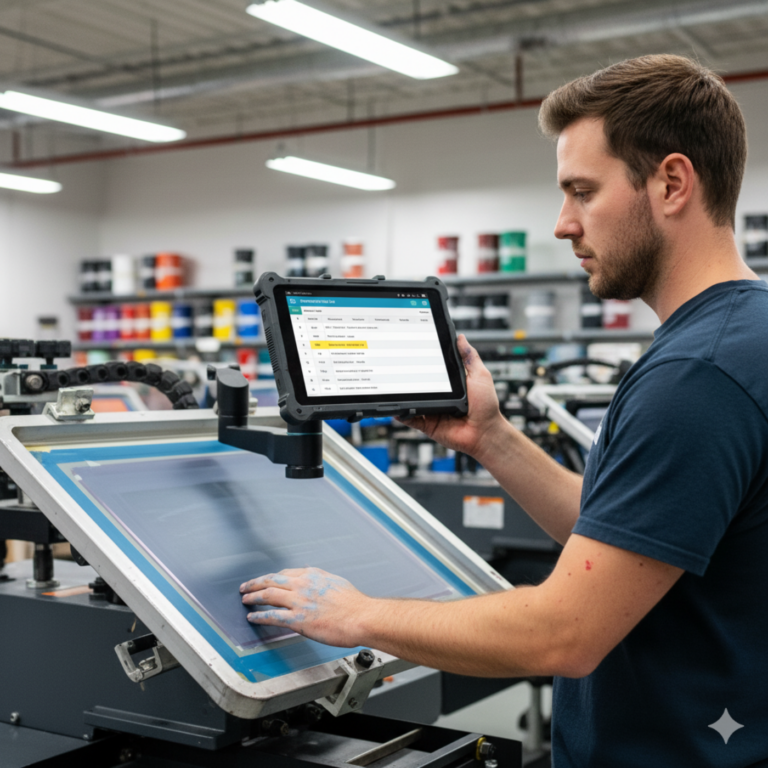
Running a successful print shop requires more than fast machines and top-notch designs — it takes precision scheduling to deliver jobs on time, avoid costly mistakes, and keep production flowing. That’s why many shops turn to print scheduling software or printing scheduling software to manage their operations. But is there a difference between the two? And more importantly — which solution is right for your shop?
The truth is, these two terms are often used interchangeably, but they can represent slightly different search intents. Let’s break down what each might mean, what features you should look for, and how a robust platform like ShopVox can serve both needs — with the flexibility to grow as you do.
Understanding the Terminology: Is There a Real Difference?
At first glance, print scheduling software and printing scheduling software might seem like identical tools. In practice, they often are — but depending on your search query or vendor language, there are subtle nuances:
- Print Scheduling Software: Often used in broader workflow or business management contexts, this term may refer to the scheduling of jobs within the overall print production process. It can include job timing, resource planning, and production phases.
- Printing Scheduling Software: This phrase is more literal and sometimes more narrowly focused on machine-level scheduling — assigning print jobs to specific presses or equipment in the shop.
The overlap is significant, but these terms may attract slightly different users:
- One looking to improve workflow efficiency.
- One focused on technical press scheduling.
Good news: the best software handles both.
Core Features to Look For in Either Solution
Whether you lean toward “print scheduling” or “printing scheduling,” your software should offer a comprehensive feature set that fits your daily workflow. Here’s what to expect from the best tools on the market:
1. Drag-and-Drop Job Calendars
Visual calendars help teams assign jobs to presses, finishers, or teams without spreadsheet headaches. This keeps everyone aligned and allows instant rescheduling when things shift.
2. Real-Time Job Tracking
Knowing the status of each job — from prepress to delivery — is critical. Look for dashboards that update in real time and make job progress visible to all departments.
3. Machine & Resource Allocation
Assigning jobs to specific equipment (based on capabilities or availability) helps optimize throughput and reduce downtime.
4. Employee & Team Scheduling
Whether it’s a designer, press operator, or installer, your scheduling system should allow for assigning roles and tracking labor alongside job milestones.
5. Approvals and Client Communication
Integrated communication tools reduce email clutter and allow clients to approve proofs and receive automated updates directly from the platform.
6. Integration with Estimating & Inventory
The best scheduling tools integrate with quoting, inventory tracking, and invoicing so you don’t have to bounce between disconnected systems.
Professional support from industry experts

Aaron
Signage, Apparel & Print

Crystal
Apparel, Signage & Print

Jennifer
Signage

Craig
Signage

Hannah
Signage
Common Problems Solved by Print/Printing Scheduling Software
Many print shops face similar operational pain points that scheduling software can solve:
| Problem | How Software Solves It |
| Jobs running late | Prioritize work using visual calendars and alerts |
| Presses sitting idle | Optimize machine usage with capacity planning |
| Overbooked staff | Assign tasks based on team availability |
| Missed approvals | Track client responses in real time |
| Job status confusion | Centralize all updates in a live job board |
| Material delays | Sync schedules with inventory & purchase orders |
Whether you refer to it as print scheduling or printing scheduling, the right software aligns teams, deadlines, and resources with a level of precision that manual tools just can’t match.
How ShopVox Handles Both Print and Printing Scheduling Needs
ShopVox is an all-in-one job management platform built specifically for print shops, sign makers, screen printers, and wide-format businesses. It doesn’t just handle your jobs — it helps you run your entire shop.
Here’s how ShopVox meets the needs of both audiences:
| Feature | Print Scheduling Benefit | Printing Scheduling Benefit |
| Visual job boards | Coordinate multiple job types & deadlines | Easily assign print runs to machines |
| Real-time updates | Improve client transparency | Track press status and job progress |
| Labor tracking | Assign installers, designers, and finishers | Avoid operator overload and conflicts |
| Equipment scheduling | Align tasks across departments | Maximize print press utilization |
| Inventory & workflow sync | Link production to material readiness | Reduce setup time and reprints |
Whether your goal is managing large-scale workflows or fine-tuning your pressroom schedule, ShopVox delivers the tools you need.
When to Choose One Term Over the Other
In practice, you’re not choosing between two software types — you’re choosing how to describe your needs and search for a solution. That said, here are some considerations:
- Use “Print Scheduling Software” if:
- You’re managing a multi-step workflow (design, print, finish, install)
- You need task-level scheduling across departments
- You’re integrating scheduling with quoting, inventory, and CRM
- You’re managing a multi-step workflow (design, print, finish, install)
- Use “Printing Scheduling Software” if:
- You’re focused primarily on production floor scheduling
- You run multiple presses or complex print jobs per day
- You’re optimizing press output, rather than managing broader operations
- You’re focused primarily on production floor scheduling
Still unsure? Most modern platforms (like ShopVox) handle both use cases — so your decision is more about terminology than functionality.
Future-Proofing Your Print Shop With Scheduling Tech
As your business grows, your scheduling complexity multiplies. More machines, more jobs, more staff — and greater risk of missed deadlines or overlapping tasks.
Investing in dedicated scheduling software now:
- Increases your production capacity
- Reduces labor waste and rework
- Improves customer satisfaction
- Makes scaling manageable
- Helps you compete with larger operations
Tip: Avoid tools that only handle one part of the puzzle. The best solutions — like ShopVox — combine production management, team coordination, and client communication into one streamlined system.
Conclusion: The Name Doesn’t Matter — the Results Do
Whether you call it print scheduling software or printing scheduling software, what really matters is whether it helps you:
✅ Run a tighter operation
✅ Eliminate delays and bottlenecks
✅ Improve team coordination
✅ Maximize press and labor usage
✅ Deliver more jobs on time, every time
ShopVox does all of that — and more — in one powerful, easy-to-use platform.
👉 Start your free trial of ShopVox today and take the guesswork out of scheduling:
https://get.shopvox.com/shopvox-trial-web
Frequently Asked Questions About Choosing Between Print Scheduling Software and Printing Scheduling Software:
What is the difference between print scheduling software and printing scheduling software?
In most cases, print scheduling software and printing scheduling software refer to the same type of tool, but the nuance lies in the user’s focus. “Print scheduling software” is often used in the context of job and workflow management across the entire production process — including prepress, printing, finishing, and installation. Meanwhile, “printing scheduling software” may emphasize press-specific scheduling, like assigning jobs to specific machines, tracking usage, or avoiding production clashes. Functionally, high-quality platforms like ShopVox cover both use cases. The terms may differ in search queries, but the goal is the same: to streamline scheduling and increase production efficiency.
How does scheduling software help reduce downtime in print shops?
Scheduling software helps reduce downtime by providing real-time visibility into job status, resource availability, and task dependencies. Without proper scheduling, press time may be wasted due to material delays, staff miscommunication, or poor sequencing. With scheduling software, each job is properly timed and aligned with available presses, finishing equipment, and staff. For example, if a laminator is booked, the software can adjust other jobs to avoid idle time. Tools like ShopVox also allow drag-and-drop rescheduling, load balancing, and alerts for delays — giving managers full control over workflow and eliminating costly downtime across departments.
Can small print shops benefit from print scheduling software, or is it only for larger operations?
Absolutely — in fact, small print shops often see the most immediate benefits from print scheduling software. With limited staff, fewer machines, and tighter margins, a single missed deadline or miscommunication can be costly. Scheduling software provides structure and visibility without the need for spreadsheets or paper calendars. Small teams can assign jobs more efficiently, track timelines, and quickly adapt to changes. Solutions like ShopVox are scalable, meaning small shops can start with core features and grow into more advanced tools as business expands. By eliminating manual tracking and chaos, small shops operate more like big businesses — but without the overhead.
What features should I look for in printing scheduling software?
When choosing printing scheduling software, look for features that align with your shop’s workflow and complexity. Key features include a visual job calendar, real-time status updates, machine and labor assignment tools, and drag-and-drop rescheduling. The software should also integrate with estimating, inventory, and proofing tools to provide a seamless production flow. If your shop runs multiple presses or finishing machines, capacity planning is essential. Tools like ShopVox also offer automated notifications, client communication portals, and job-specific checklists. The more integrated your system is, the fewer errors you’ll face — and the more jobs you can complete on time.
How does ShopVox help with both print and printing scheduling needs?
ShopVox is designed to handle the full range of print scheduling and printing scheduling tasks in one intuitive platform. It offers drag-and-drop calendars to assign jobs across machines, teams, and production stages. Whether you need to manage deadlines for a wide-format printer, balance workloads between press operators, or ensure the design team and installers are aligned — ShopVox keeps everyone on the same page. It also syncs with quoting, inventory, approvals, and client updates, making it an all-in-one solution. Whether your focus is on workflow coordination or press-level scheduling, ShopVox adapts to your shop’s needs — helping you reduce errors, improve turnaround, and grow profitably.