
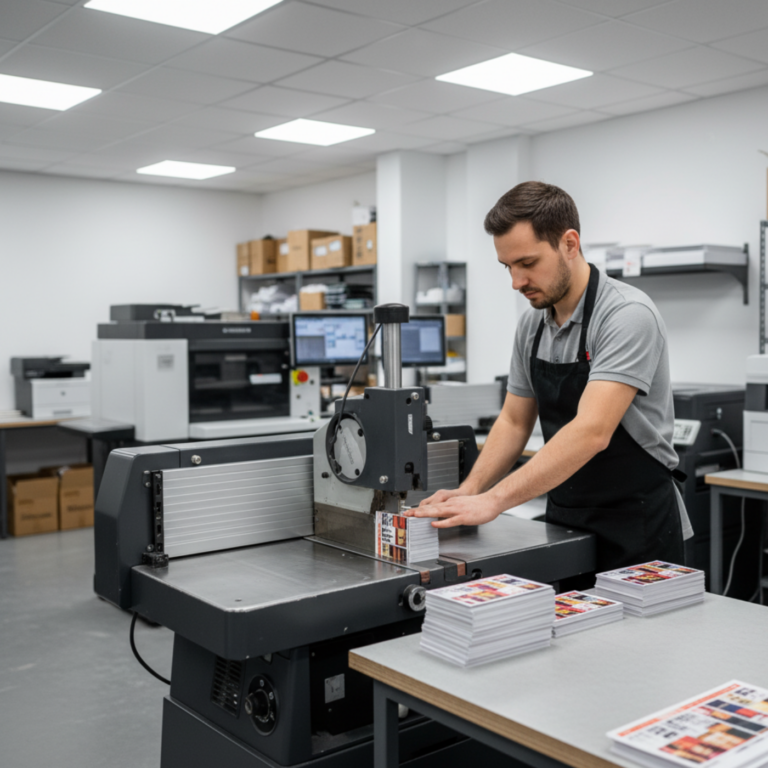
Introduction: The Complexity of Print Orders
From custom signage and apparel to offset and digital jobs, no two print orders are alike. Each one comes with its own set of variables—quantities, specifications, deadlines, revisions, and delivery methods. Without the right system in place, managing these variables can become a logistical nightmare.
That’s where print order management software—also known as print shop order management software—comes in. These systems centralize your order intake, automate tracking and approvals, and connect fulfillment with delivery, ensuring every order flows through your shop smoothly and profitably.
What Is Print Order Management Software?
Print order management software is a digital solution that manages the end-to-end process of fulfilling a print order—from customer request through production to delivery and invoicing. It ensures all job details are accurately captured, efficiently scheduled, and fully traceable.
This software is essential for:
- Reducing errors in order entry.
- Providing visibility to customers and team members.
- Connecting order data with production and shipping systems.
Professional support from industry experts

Aaron
Signage, Apparel & Print

Crystal
Apparel, Signage & Print

Jennifer
Signage

Craig
Signage

Hannah
Signage
Why Your Shop Needs Print Shop Order Management Software
1. Centralized Order Intake
Manual order entry can lead to errors, missed specs, or duplication. A centralized system:
- Accepts orders from multiple sources: online forms, sales reps, email, or storefronts.
- Consolidates order specs, files, and approvals in one digital ticket.
- Automatically checks for required assets before processing.
2. Automated Approval Workflows
Time is often lost waiting for client feedback. Order management platforms:
- Trigger automated emails for proofing and approval.
- Track response times and issue reminders.
- Log every approval or revision, creating an audit trail.
3. Integrated Production Handoff
Once an order is approved:
- It is routed to production with all relevant specs and deadlines.
- Operators receive tasks automatically assigned to them.
- Real-time updates are shared between sales, production, and delivery teams.
4. Status Tracking for Internal Teams and Customers
Both your team and your customers benefit from visibility:
- Internal dashboards show job status, priority, and bottlenecks.
- Clients can log into portals to check the status of their orders.
- Automated notifications keep everyone informed.
5. Shipping, Fulfillment & Billing Integration
Once jobs are completed:
- Shipping labels are auto-generated.
- Orders are linked to delivery methods and tracking numbers.
- Invoices are automatically issued based on completed work and any extra charges.
Key Features to Look For in Print Order Management Software
| Feature | Why It Matters |
| Multi-Channel Order Intake | Accepts orders from your website, reps, walk-ins, or partner systems. |
| Real-Time Status Updates | Provides internal accountability and customer transparency. |
| Approval Management | Ensures changes are tracked and approved digitally. |
| Order-to-Production Integration | No more manual handoffs—ensures specs flow into production seamlessly. |
| Shipping & Delivery Tools | Tracks orders beyond production to final delivery. |
| Invoicing & Payments | Speeds up cash flow with auto-generated billing. |
| Reporting & Order Analytics | Reveals most profitable job types, clients, and sales trends. |
Benefits That Scale With Your Business
Whether you’re a growing startup or a multi-location operation, the benefits of a powerful order management system are clear:
- Speed: Fewer delays from manual entry and email approvals.
- Accuracy: Every order is validated with file checks and automated rules.
- Visibility: Know where every job stands—internally and from the customer’s view.
- Customer Experience: Delight clients with faster service and self-serve tools.
- Scalability: Grow your order volume without growing your overhead.
Real-World Example: From Manual to Automated
Case Snapshot: Revolution Prints
Before switching to print order management software, Revolution Prints was handling orders via spreadsheets, email threads, and post-it notes. Miscommunication led to missed deadlines, lost files, and frequent reprints.
After adopting a cloud-based solution:
- Job entry time decreased by 70%.
- Reprint costs dropped by 50%.
- Customer satisfaction scores improved dramatically.
- Their team reclaimed 10+ hours weekly once spent on tracking down job statuses.
Choosing the Right Print Order Management Platform
When evaluating software for your shop, prioritize solutions that:
- Are built specifically for the print industry.
- Integrate with your production tools and shipping carriers.
- Offer modular scalability—so you can add more features as you grow.
- Provide top-tier customer support and onboarding.
Final Thoughts: Streamline Your Orders, Delight Your Customers
In the print business, your order process is your reputation. A job that starts off disorganized is more likely to end in delays, errors, and unhappy customers. By adopting reliable print shop order management software, you gain control, save time, and deliver better results—every time.
Run a Smarter Shop with shopVOX
Looking for an all-in-one platform that manages your print orders, tracks job status, automates approvals, and simplifies delivery? shopVOX is built to handle it all—whether you’re a custom apparel shop, sign maker, or commercial printer.
Start Your Free Trial of shopVOX and simplify your order workflow from intake to fulfillment.